Custom Outlook Add-in Development: What Businesses Can Automate
A practical guide to Outlook add-ins for CRM sync, AI email workflows, phishing reports, attachments, calendar automation, and Microsoft Graph integrations.

Why Outlook add-ins are useful
Outlook is where many business workflows start: email triage, customer requests, document follow-ups, calendar scheduling, and approval chains. A custom add-in brings those actions inside the inbox instead of forcing users to switch between tools.
The strongest Outlook add-ins are not just buttons. They read email context, connect with secure APIs, and give teams a repeatable workflow that reduces manual copy-paste work.
Common workflows we can build
A good Outlook add-in can support both lightweight productivity flows and deeper enterprise integrations.
- Sync email sender and thread details with Salesforce, HubSpot, or a custom CRM.
- Create Asana, Jira, Trello, or internal support tasks from selected email content.
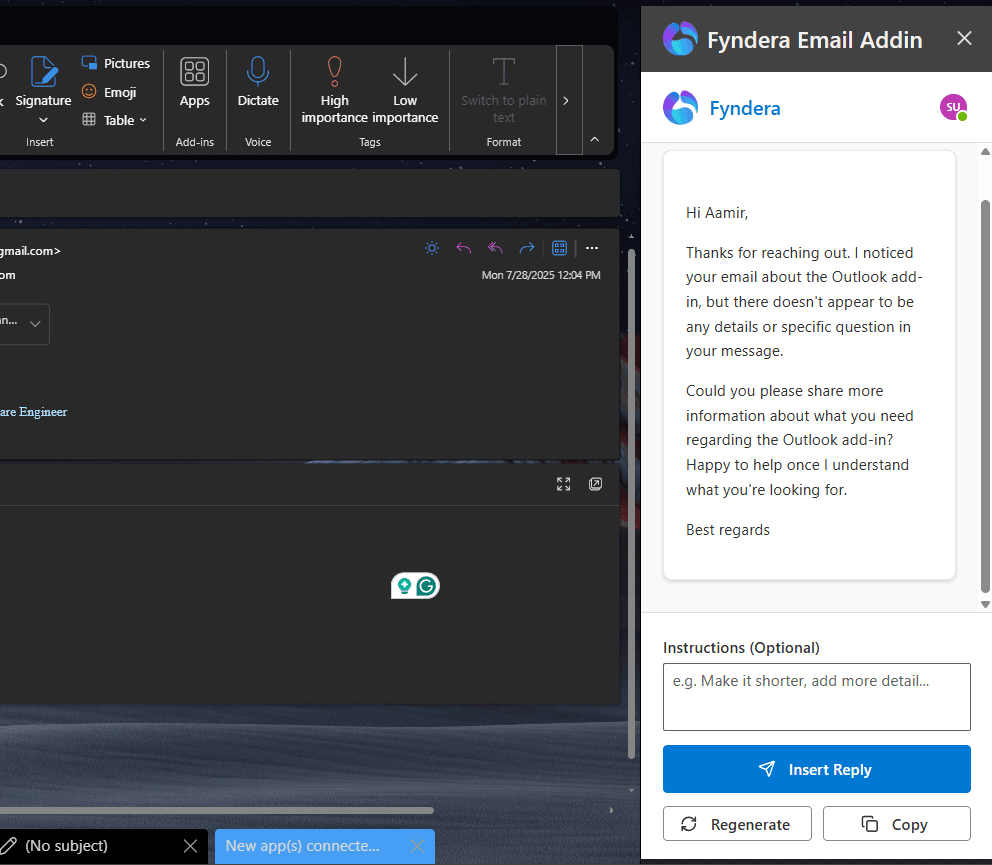
- Generate AI summaries, replies, next steps, and meeting follow-up notes.
- Report phishing emails with headers, attachments, sender data, and Graph metadata.
- Save attachments and email bodies to SharePoint, OneDrive, Azure, or a private server.
What matters for enterprise delivery
For business users, the add-in must feel simple. For IT teams, it must be secure, deployable, and maintainable. That means clear Microsoft Graph permissions, reliable Office.js behavior, Admin Center deployment support, and clean handover documentation.
References
Common questions
- What can a custom Outlook add-in automate?
- Outlook add-ins can automate CRM logging, task creation, AI email summaries, attachment routing, phishing reports, and calendar workflows — all inside the inbox using Office.js and Microsoft Graph.
- Do Outlook add-ins work with Office 365?
- Yes. Outlook add-ins are deployed through Microsoft 365 and run in Outlook web, Windows, and Mac clients that support Office.js.
Related services
Written by NexaAI Solutions
← Back to all articles